Introduction
Microsoft Power platform is multi-tenant SaaS application platform built on Azure that enables organization to build business applications, automate processes,analyze data and expose services with a mix of low code and pro code capabilities.
It is security first, governed business platform designed for enterprise grade applications.
When to Use This
Power Platform is used to solve business problems by enabling rapid delivery with flexibility to scale when needed.
It achieves this by abstracting the infrastructure concerns and enforcing security.
Prerequisites
Before working with Power Platform, you should have:
- Basic understanding of business processes
- Familiar with data fundamentals
- Logical thinking
- License and environment awareness
Key components
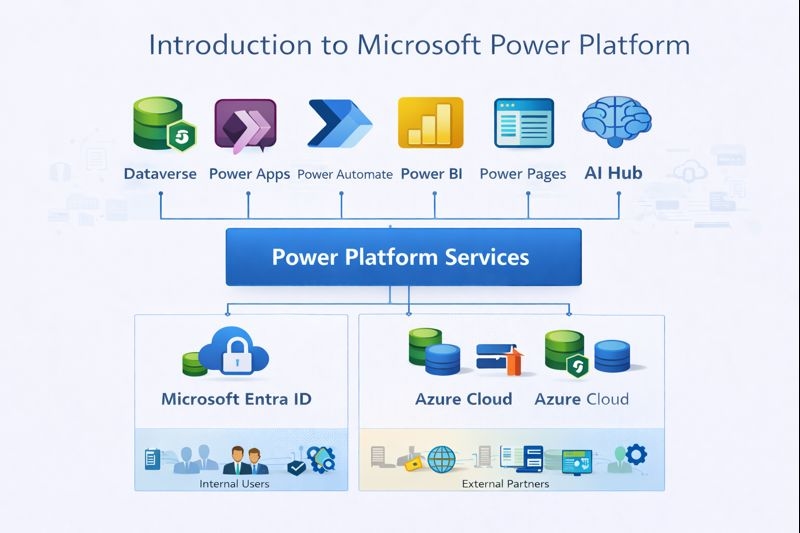
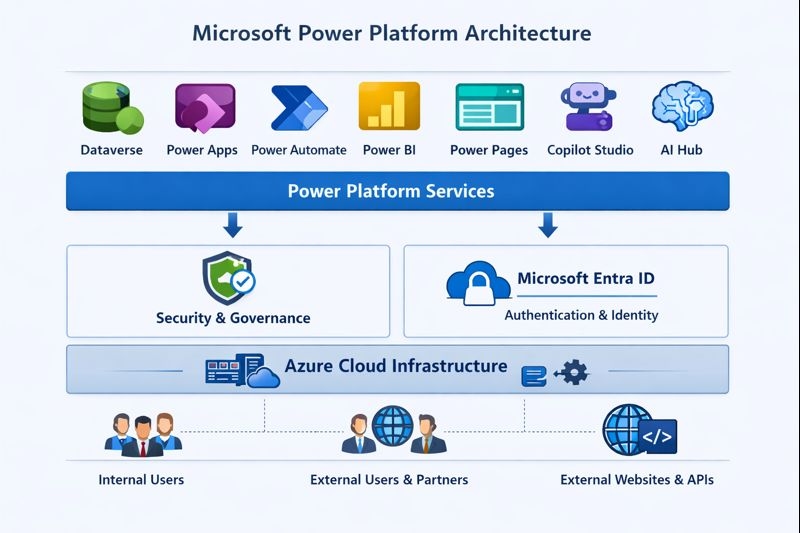
Power platform consists of below components:
- Dataverse - A data platform designed with security first approach
- Powerapps - The UI and application layer
- Power Automate - Workflow and process automation
- Power BI - Data visualization and analytics
- Power pages - External facing website for customers and partners
- Copilot Studio - Tools for building AI-powered agents
- AI Hub - AI capabilities such as Document Intelligence
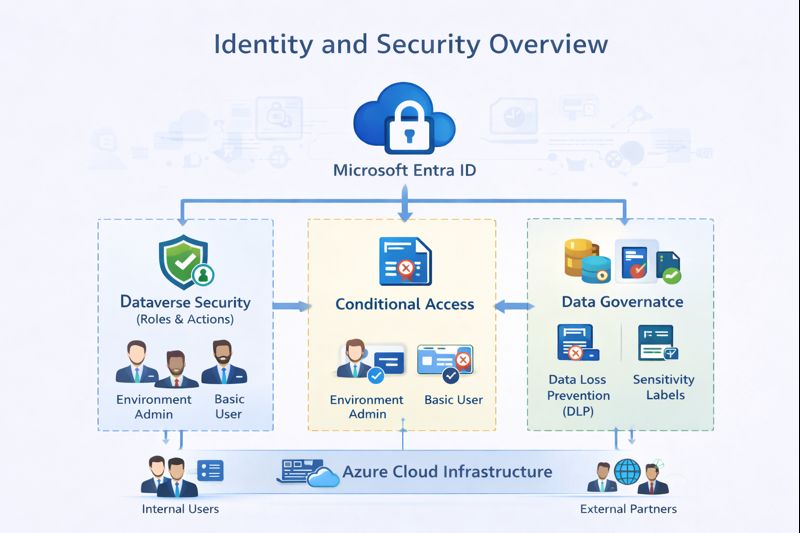
All of the above runs on Azure and are authenticated by Entra ID.
Architecture
Role based perspective
- Admin
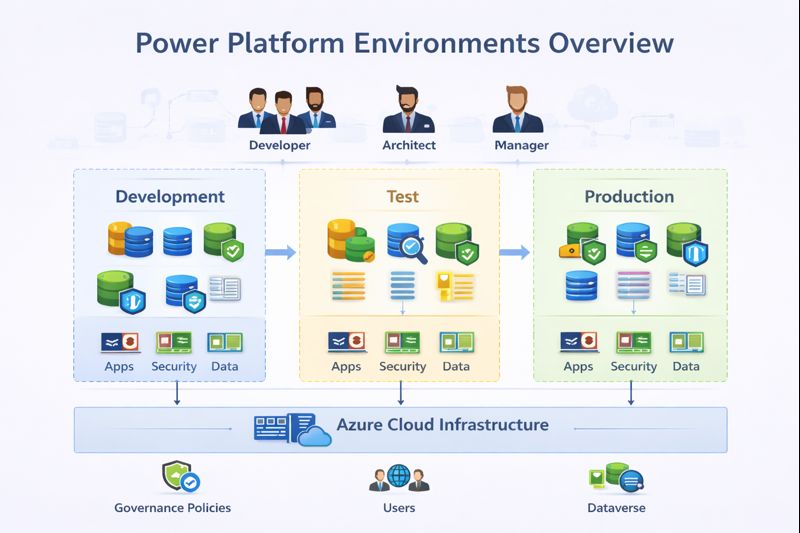
Administrator are primarily responsible for below tasks: - Maintaining platform health - Defining Environment Strategy - Capacity manangement - Governance & DLP - Access manangement
- Developer
Developer must realise the environment constraints and develop the application with below considerations- Throtling scenarios and retry logic
- Transaction boundries
- Saas exceution limits
- Appropriate use of power automate and plugins for optimal performance
- Architect
Architecht must decide application boundries to ensure it remains scalable with growing data and users. Below are examples of such decisions:- Azure Integrations
- Plugin vs Custom Workflow vs Power Automate
- Synchronous vs asynchronous plugins
- Canvas App vs Model Driven application
- User
User does not design the application but has below expectations from the application- Predictable behaviour
- Fast UI
- Reliable automation
- Minimum downtime
- Accurate and complete data
Best Practices
- Best for business process applications
- Design asynchronous exceution where possible
- Centralize governance using DLP(Data Loss Prevention) policy
- Avoid heavy business logic in the UI layer
- Do not ignore ALM (Application Lifecycle Management) practices
Common Mistakes
- Considering dataverse as SQL database
- Overloading dataverse with synchronous plugins/real-time logics
- Assuming low code means low governance
Summary
Microsoft Power Platform is a powerful low-code SaaS platform for building secure, scalable, and business-centric applications. When designed correctly, it enables organizations to optimize processes while maintaining governance, performance, and enterprise-grade security.